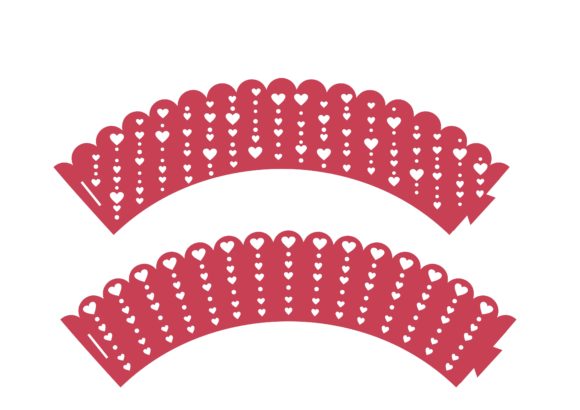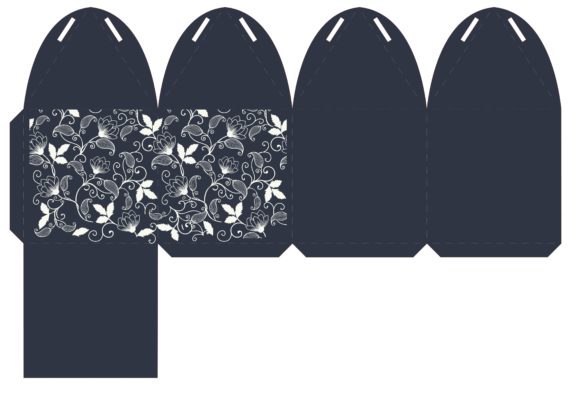
Caixa Lotus: The Ultimate Template for Creative Cutting Projects
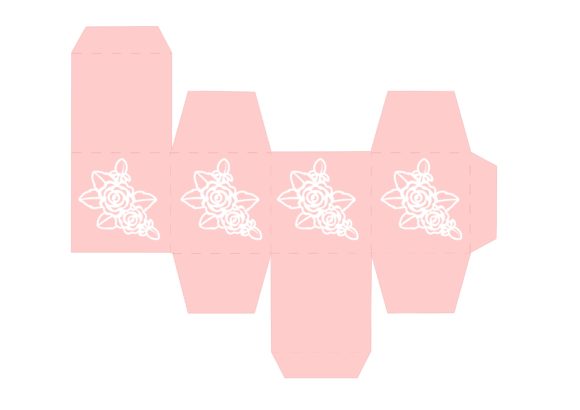
If you are looking to add a touch of elegance and sophistication to your handmade gifts or home decor, Caixa Lotus offers a stunning solution. This design is not just another pattern; it is an amazing template specifically crafted for creating beautiful gift boxes or decorative lanterns. Whether you are a seasoned crafter or someone holding a cutting machine for the first time, this versatile file provides the structure you need to bring intricate designs to life with precision.
The beauty of Caixa Lotus lies in its adaptability. It transforms simple materials like cardstock, vinyl, or fabric into professional-looking creations that can elevate any occasion. From birthday presents to wedding favors, or even as unique lighting accents for your living room, this template serves as the foundation for endless creative possibilities. By using digital cutting tools, you ensure that every petal and fold is perfectly aligned, saving you hours of manual measuring and cutting.
Why Choose Digital Templates for Your Crafts?
Moving from traditional paper crafting to digital design might seem daunting, but the benefits are immediate and transformative. When you work with a digital template like Caixa Lotus, you are essentially unlocking a world where consistency meets creativity. Manual cutting often leads to slight variations that can throw off the final assembly of a box or lantern. However, digital files eliminate these human errors, ensuring that every single unit you produce looks identical and professionally finished.
These files are designed to use in Silhouette Studio, Cricut Design Space, Sure Cuts a Lot (SCAL), and other popular cutting software that accept these formats. This compatibility means you do not need to learn a new, complex system; you likely already have the software needed to get started. All you need to do is ensure your cutting machine is compatible with any of the file formats provided. Once you load the design, the machine does the heavy lifting, allowing you to focus on assembly, decoration, and the joy of creation.
What Exactly Is Included in the Download?
One of the most valuable aspects of acquiring Caixa Lotus is the variety of formats included in a single purchase. You are not limited to just one type of file, which makes this resource incredibly flexible for different workflows. Here is a breakdown of what you receive when you download this set:
- 1 SVG File: This is the industry standard for vector graphics. It is fully editable within Cricut Design Space, Silhouette Studio, Sizzix, and more. If you want to resize the design, change colors, or combine it with other elements, the SVG format gives you complete control without losing quality.
- 1 PNG Digital File: Featuring a transparent background, this file is perfect for printing on photo paper or using in graphic design projects where you need to layer images over other backgrounds.
- 1 JPG Digital File: Provided in high resolution at 300 dpi, this image is ideal for standard printing tasks or for viewing on screens before you begin your project.
- 1 Silhouette Original File: For users who prefer the native environment of Silhouette machines, this specific file type ensures seamless importation and optimal performance.
- 1 PDF File: This is a crucial component for those who prefer a hands-on approach. The PDF version allows hand cutters to print the template directly onto sturdy paper and cut it out manually if they do not own a digital cutting machine.
This collection ensures that everyone, regardless of their equipment, can participate in the crafting process. It is an instant download cutting file that can be used with many different cutting software machines, making it a cost-effective investment for hobbyists and professionals alike.
How to Get Started with Caixa Lotus
Getting your hands on the Caixa Lotus template is straightforward, but there are a few steps to follow to ensure a smooth experience. First, after completing your purchase, you will receive a zip folder containing all the necessary files. It is important to remember that each file comes with a .pdf, .svg, and .jpg file compressed into this zip folder. You need to unzip or extract the received folder to enable the use of the separate files. Without this step, your cutting software may not be able to read the individual components correctly.
Once extracted, open the appropriate file in your chosen software. If you are using a Cricut machine, upload the SVG file to Design Space. For Silhouette users, the original file or SVG works best in Silhouette Studio. After placing the design on your virtual mat, adjust the size to fit your desired material dimensions. Most templates come with pre-set score lines and cut lines, so you simply need to tell the machine which line to cut and which to score for folding.
For those using the PDF file, simply print the document on high-quality cardstock. Use a sharp craft knife or scissors to carefully trace the outer edges and inner details. While this method requires more patience than using a machine, the tactile experience of hand-cutting can be deeply satisfying and meditative.
Real-World Applications and Ideas
So, where can you actually use Caixa Lotus? The applications are as varied as your imagination. As a gift box template, it is perfect for jewelry, small electronics, or homemade treats. The lotus motif adds a sense of calm and luxury that generic boxes cannot match. Imagine presenting a handmade candle or a piece of artisan soap in a box that features this elegant floral design; it immediately elevates the perceived value of the gift.
Beyond gifting, Caixa Lotus shines as a lantern template. By using translucent paper or vellum, you can create beautiful ambient lighting for parties, weddings, or evening gatherings. Place a battery-operated tea light inside, and the lotus pattern will cast intricate shadows across the room. This makes it an excellent choice for event planners and decorators looking for unique centerpieces.
Small business owners and entrepreneurs can also leverage this design. If you sell handmade goods, branded packaging is essential. Using Caixa Lotus for your product boxes creates a cohesive brand identity. Bloggers and content creators can utilize these designs for prop photography, adding texture and visual interest to their lifestyle shots. Educators might find this template useful for teaching geometry, spatial reasoning, and fine motor skills to students through a fun, hands-on activity.
Important Considerations Before You Begin
While Caixa Lotus is user-friendly, there are a few practical things to consider to ensure success. Material selection is key. For a sturdy gift box, choose a cardstock that is at least 80 lb or heavier. If you plan to make a lantern, lighter paper or tissue paper might be better to allow light to pass through. Always test a small section of your design on scrap material before committing to your final project.
Additionally, check your machine settings. Different materials require different blade depths and pressure settings. Refer to the manufacturer's guidelines for your specific cutting machine to avoid tearing delicate parts of the lotus design. Finally, take your time during the assembly phase. Score lines should be folded gently to prevent cracking, especially on thicker cardstocks. Patience here results in a crisp, professional finish.
In summary, Caixa Lotus represents a bridge between digital convenience and artistic expression. Whether you are producing items for a small business, creating personalized gifts for loved ones, or simply enjoying a quiet afternoon of crafting, this template provides the perfect starting point. With its comprehensive file formats and compatibility with major cutting platforms, it is a tool that empowers creators of all skill levels to achieve remarkable results.